Life on the road has changed a lot. Reliable connectivity is now as important as water and power for RV lovers. Whether you work from anywhere, stream movies, or stay in touch with family, good internet is key.
Choosing the right internet solution can be tough. There are many ways to stay connected while traveling. Each option has its own benefits and challenges that affect your RV life.
Today, three main options are popular for RV internet. Starlink satellite service from SpaceX offers fast internet anywhere. Mobile hotspot devices from Verizon, AT&T, and T-Mobile use cellular networks. Signal booster systems help improve weak signals.
This guide will help you choose the best internet for your RV. We’ll look at costs, performance, and how they work in real life. By the end, you’ll know which internet is right for you.
Key Takeaways
- Reliable connectivity is key for modern RV living, affecting work, fun, and staying in touch with family.
- There are three main options: Starlink satellite service, mobile hotspot devices, and cellular signal boosters.
- Each option has its own good points and downsides, depending on how you travel and what you need.
- Costs include the price of equipment and monthly service fees.
- Performance varies a lot, based on where you are, the terrain, and network coverage.
- Your travel style and budget will help you pick the best internet solution.
Understanding RV Internet Needs
First, we must figure out what kind of RVer you are. Your lifestyle on the road affects which RV Internet Solutions are best for you. Every RVer has different needs, budgets, and travel patterns.
Weekend warriors and full-time digital nomads have different internet needs. Knowing these differences helps us choose the right equipment and service plans. Let’s look at what influences your perfect internet setup.
Different Types of RVers
Weekend warriors usually stay in campgrounds with good internet. They need internet for social media, email, and streaming. Their internet use is moderate and predictable.
Full-time RVers need strong RV Internet Connectivity for work, banking, and daily chats. They often go to remote places where internet is hard to find.
Digital nomads need rock-solid connections for video calls, big file uploads, and work. Any internet problem can hurt their income and reputation.
Factors to Consider for Internet
Where you travel affects your internet plan. RV parks often have good cell coverage, but remote areas are tough. Your travel plans should guide your equipment choices.
When boondocking, power is key. Some internet solutions use more power than others. We must find a balance between internet and power to avoid being cut off.
Money matters too. RV Internet Solutions vary in cost. Knowing your budget helps choose the right option.
Data use varies a lot. Streaming video uses a lot of data, while checking email uses little. Heavy users need unlimited plans, while light users can save with limited data.
Common Connectivity Challenges
Signal strength is a big problem in mountains or forests. Traditional cell connections often fail there. Knowing coverage maps helps avoid dead zones.
Network congestion happens when many use the same tower. Busy camping spots can have slow speeds and drops. This affects all cell-based internet.
Weather can mess with satellite connections in storms or heavy clouds. Rain and snow on equipment can cause outages. Having backup options is key for important calls.
Connecting many devices at once can be tricky. Older RVs might not have the right wiring or spots for new equipment. Planning ahead prevents surprises.
Introduction to Starlink
Starlink has changed how RVers get internet. It’s fast and works almost everywhere. No more slow internet in the country.
This satellite internet for RV is a big deal. No more searching for Wi-Fi or cell towers. It works anywhere, even in the woods.

How Starlink Works
Starlink uses thousands of satellites in space. They move fast and change as they go. This lets us stay connected without any trouble.
It’s different from old satellite internet. Those satellites were too far away. Starlink’s satellites are much closer, so we get faster speeds.
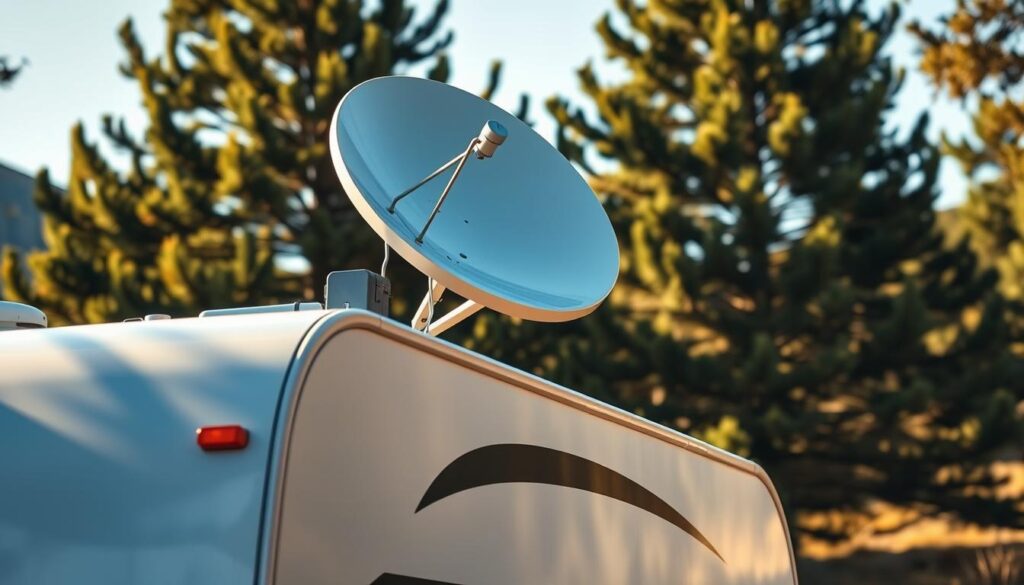
The dish on our RV points to the satellites. It changes automatically. This keeps our internet strong and fast.
Benefits of Using Starlink
Satellite internet for RV travel with Starlink is amazing. We get speeds of 50 to 200 Mbps. This means we can work, stream, and chat without problems.
The Roam plan is great for RVers. It’s flexible and works everywhere. We can pause it when we’re not using it, saving money.
It covers the whole US, Alaska, Hawaii, and many places abroad. We’ve used it in national parks and remote spots. It’s the best option for internet in those places.
| Starlink Plan | Monthly Cost | Hardware Price | Speed Range | Power Usage |
|---|---|---|---|---|
| Roam 50GB | $50 | $349 | 5-50 Mbps | 20-40 watts |
| Roam Unlimited | $165 | $599 | 50-200 Mbps | 40-100 watts |
| Mobile Priority | $250 | $599 | 40-220 Mbps | 40-100 watts |
Potential Drawbacks
Starlink has some downsides. It uses a lot of power. This can drain our batteries fast.
The dish needs a clear view of the sky. Trees or clouds can block the signal. We have to park carefully to keep a good connection.
Buying the equipment is expensive, $349 to $599. The monthly fees are also high. Bad weather can slow it down, but it usually goes back to normal quickly.
The equipment adds weight and wind resistance. We have to secure it well. Setting it up can be tricky, but it’s worth it for the fast internet.
Mobile Hotspots Explained
For RVers, mobile hotspots are a great way to stay connected without spending a lot. These small devices turn cellular signals into Wi-Fi for everyone to use. They’re easy to understand because they use the same tech as phones.
Setting up mobile internet is simple. You don’t need special mounts or clear skies like with satellites. Hotspots are ready to go right away, perfect for RVers who want easy internet.
What is a Mobile Hotspot?
A mobile hotspot is a small router that connects to cell networks from big carriers like Verizon, AT&T, and T-Mobile. It turns your cellular data into a Wi-Fi network. This lets your devices connect through one plan.
Hotspots are small and use under 10 watts of power. This is great for off-grid camping where battery life is key. They connect your devices to the cellular network.
The tech is easy to get. Hotspots get cell signals like phones do. Then, they share that signal as Wi-Fi for others to use.
Pros of Using Mobile Hotspots
Mobile hotspots have many benefits for RV travel:
- Low upfront costs: They cost under $200, which is cheaper than satellites
- Power efficiency: They use little power, perfect for off-grid camping
- Easy setup: Just turn it on and connect your devices
- Familiar technology: They use cell networks you already know
- Multiple device support: One hotspot can handle 10-15 devices
Hotspots work well in cities and popular campsites where cell service is good. They’re also easy to carry, so you can take your internet on the go.
They’re simple to use. No need to worry about satellite setup, weather, or complex installations like other options.
Limitations and Considerations
But, mobile hotspots have some big limitations:
Coverage limitations are the biggest issue. They don’t work well in places far from cell towers. We’ve had trouble in national parks and rural areas.
Data throttling also affects them. Even “unlimited” plans slow down after a certain amount of use. This can hurt streaming and work, which is a problem for digital nomads.
Weather can also impact them, though not as much as satellites. Heavy storms or mountains can weaken signals and lower connection quality.
Performance can also vary by carrier and location. A hotspot that works great with Verizon might not work as well with AT&T or T-Mobile in the same area.
Signal Boosters Overview
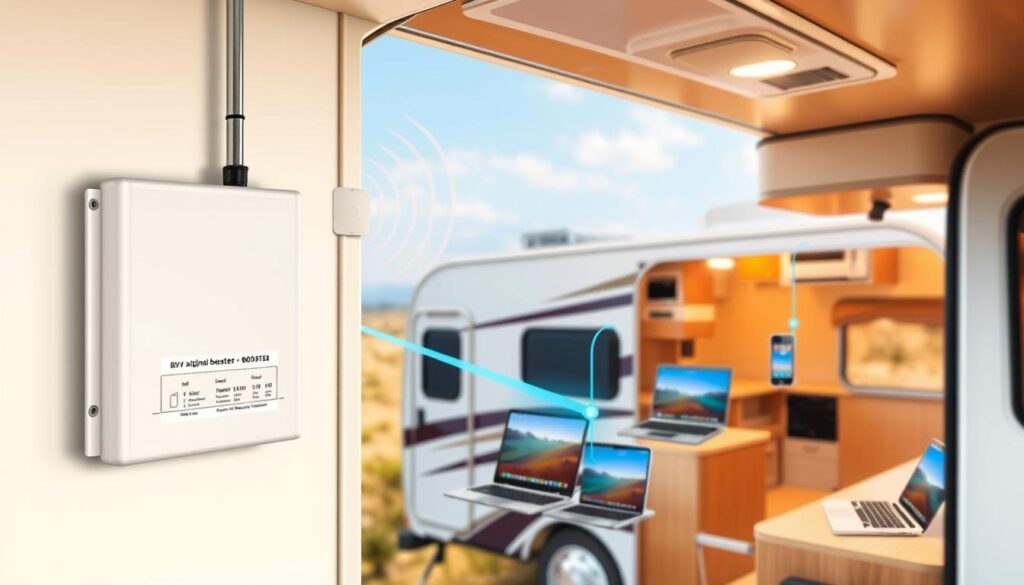
Signal boosters can make your RV internet connectivity much better. They amplify weak signals, making them stronger and more reliable. Many RVers have seen big improvements in areas with poor cell coverage.
Think of a signal booster as a bridge to better connectivity. It grabs weak signals and boosts them in your RV. This turns a weak connection into one strong enough for streaming or video calls.
What is a Signal Booster?
A signal booster makes weak cellular signals stronger. It has three main parts that work together.
The external antenna picks up signals from cell towers. An amplifier then makes these signals much stronger. The internal antenna spreads the strong signal through your RV.
Boosters can’t make a signal where none exists. They need some signal to work. In complete dead zones, even the best booster won’t help.
Advantages of Boosters
The main benefit of boosters is they work with your devices and plans. There are no extra monthly fees after buying the equipment. This makes them a cost-effective choice for RVers.
Boosters are great in areas with some signal but it’s not reliable. They can turn a weak connection into a strong one that supports many devices at once.
A booster is like a megaphone for your cellular signal. It makes the signal stronger, improving your connection quality and data speeds.
Another big plus is better battery life for your devices. When your phone or tablet doesn’t have to work hard to stay connected, your battery lasts longer.
Challenges in Usage
Installing a booster can be tricky. You need to mount antennas and run cables through your RV. This might scare off those who don’t like DIY projects.
There are also limits to what boosters can do. The quality of your signal depends on the original strength. If the signal is very weak, the booster might not make it strong enough.
Weather can also affect how well a booster works. Rain, snow, or storms can make it hard for the antenna to catch signals. Knowing these limits helps set the right expectations for your RV internet connectivity.
Comparing Options: Starlink, Hotspot, and Booster
The fight between Starlink, hotspots, and boosters isn’t about who wins. It’s about finding what fits you best. Each RV internet option has its own strengths. We’ve tested them in many places and ways of traveling.
Knowing the differences helps you choose wisely for your life on the road. Let’s look at what’s important.
Speed and Reliability
Starlink gives speeds of 50-200 Mbps everywhere. It works well in places where others fail. It stays strong in national parks and off-grid spots.
Mobile hotspot speeds change a lot by location. In cities, speeds can be over 100 Mbps. But in rural areas, speeds are slow or non-existent.
Signal booster systems don’t boost speed. They make weak signals better. They can turn bad connections into usable ones.
Cost Considerations
Costs are a big difference. Starlink starts at $349-$599 for equipment and $50-$165 monthly.
Hotspots are cheaper upfront. Devices cost under $200, with plans from $50-$100. They’re good for those watching their budget.
Booster systems cost once, with no monthly fees. They work with your plan without extra costs.
Coverage Areas
Coverage shows where these RV internet options really shine. Starlink works almost anywhere with a clear sky. It’s great in mountains, deserts, and remote areas.
Hotspots do well in cities but fail in remote spots. They work on highways and in cities but not in national parks or rural areas.
Booster systems help in weak signal areas. They’re best for improving signals near towers.
| Feature | Starlink | Mobile Hotspot | Signal Booster |
|---|---|---|---|
| Speed Range | 50-200 Mbps | 1-100+ Mbps | No speed increase |
| Upfront Cost | $349-$599 | Under $200 | $200-$800 |
| Monthly Fee | $50-$165 | $50-$100 | None |
| Best Coverage | Remote areas | Urban/suburban | Fringe cellular zones |
Setting Up Starlink for RVing
Getting Starlink internet for your RV makes it feel like home. The setup is easy, unlike old satellite systems. Just take your time and follow the steps.
Starlink systems are simple to use. You don’t need to be tech-savvy. But, planning well ensures great performance.
Installation Steps
First, download the Starlink mobile app. It guides you through setup and finds the best spot for your dish. This saves time and avoids problems.
Use the app’s obstruction checker. Move around your campsite to scan for blocks. Trees, buildings, and your RV can block signals. The app shows where to place your dish for the best signal.
After finding the right spot, connect your gear. Start with the dish to router, then router to power, and plug into your RV. The Starlink system will start up and update itself.
“The initial setup takes patience, but the results are worth it. Give your system 15-20 minutes to fully initialize and map local obstructions.”
Equipment Needed
Your Starlink kit has everything for basic use. It includes a dish, Wi-Fi router, power supply, and cables. Choose between Gen 3 for better performance or Mini for portability.
The Gen 3 dish has better performance and Wi-Fi range. It’s great for big RVs or many devices. The Mini is perfect for small rigs or boondocking.
For mounting, you have options. The kickstand is good for temporary setups. A tripod offers better stability and flexibility. Roof mounting is best for performance but consider weight limits.
Tips for Best Performance
Test different locations before a permanent setup. Small changes can greatly affect connection quality. Try different spots during your first trips.
Weather impacts performance. Rain or snow can slow speeds. But, Starlink works well in most weather compared to others.
Keep your dish clean to improve signal. A simple water rinse removes dust. Also, make sure your RV’s electrical system can handle the power needs, even on battery.
Be patient during setup. The system needs time to update and learn about your area. This effort ensures reliable internet on your travels.
Utilizing Mobile Hotspots on the Road
To get the most from your mobile hotspot, plan smartly. It’s all about picking the right data plan, connecting devices well, and using data wisely.
Mobile hotspots offer great freedom for RV travelers. But, this freedom comes with big responsibilities. Poor planning can lead to expensive overage charges or frustratingly slow speeds when you need internet access most.
Choosing the Right Plan
Choosing the right carrier is key for good RV internet. Compare plans from major carriers because coverage varies a lot. Some areas have great Verizon coverage, while others prefer AT&T or T-Mobile.
Unlimited plans aren’t always truly unlimited. Many carriers slow down speeds after a certain data limit. Always read the fine print to know when and how much speed you’ll get.
Think about these plan features when deciding:
- Hard data caps versus soft caps with throttling
- High-speed data allowances before throttling
- Roaming policies and coverage maps
- Priority data during network congestion
It’s better to have extra data than face high charges in remote areas. Having unused data is safer than facing expensive overage charges in remote spots.
Connecting Devices
Knowing your hotspot’s connection limits helps avoid frustration. Budget models usually support 5-10 devices, while premium ones can handle 30 or more.
Connect your most important devices first. Start with laptops and phones. Then add tablets, smart TVs, or gaming consoles. Each device uses some of the available bandwidth.
“The key to successful mobile internet setup is understanding that every connected device competes for the same data stream.”
Make sure to password protect your hotspot network. This prevents unauthorized access. Neighbors or passersby can drain your data if your network is open.
Managing Data Usage
Managing data is an art with cellular plans. We’ve found ways to use your monthly allowance wisely without losing quality.
Download content during off-peak hours if you can. Many carriers offer unlimited data at certain times, like late night or early morning. Use these times for big downloads, software updates, and streaming.
Keep an eye on your data use through carrier apps and device settings. Most phones and tablets show detailed data use stats. Set up alerts when you’re close to your limit.
Try these data-saving tips:
- Use data compression apps and browser extensions
- Download maps and entertainment on Wi-Fi
- Lower streaming quality settings
- Turn off automatic app updates and cloud backups
Have backup plans for unexpected data needs. Secondary carrier SIM cards or extra data purchases can save your trip when you go over your plan.
Ensuring Optimal Performance with Boosters
We’ve found that booster success depends on three things: how well it’s installed, how it’s used, and how it’s kept up. Getting these right can make a big difference. It can turn frustrating connectivity issues into reliable RV internet connectivity on the go.
Our travels have shown us that small changes in setup and care can greatly improve signal strength. The secret is knowing how these systems work and using proven methods.
Installation Tips
Good installation is key to booster success. We always put the external antenna as high as we can on our RV. This ensures it has a clear view of cell towers whenever possible.
It’s important to keep the external and internal antennas far apart. This stops feedback loops that can harm your equipment. We aim for at least 20 feet of space, but more is better.
The quality of your cables is very important. We use the shortest, highest-quality cables we can find. Every foot of cable can lose some signal, so keeping cables short is best.
Best Practices for Use
Testing your system in different spots and directions helps you see how terrain and obstacles affect it. We always check the signal strength when we arrive at new campsites.
Knowing what you need for RV internet connectivity helps you set up your booster right. Some boosters have adjustable gain controls. These can be fine-tuned based on local signal conditions.
Boosters work best as part of a bigger plan for connectivity. Using them with other solutions often gives better results than just one technology.
Maintenance and Troubleshooting
Regular care keeps your system running well. We check cable connections every month for corrosion, which is more common in coastal areas.
It’s important to keep antennas aligned for consistent performance. Wind and road vibrations can slowly move them, reducing their effectiveness.
When we’re troubleshooting, we start with the basics. We check all connections, make sure the booster isn’t too hot, and confirm there’s cellular signal to boost. No booster can create signal where none exists.
Cleaning external antennas now and then helps keep them working well. A simple wipe with a damp cloth usually does the trick for regular upkeep.
Making the Right Choice for Your RV Setup
Choosing the best internet for RV living depends on your travel style and needs. Most RVers find a good balance between current needs and future flexibility.
Evaluating Your Internet Needs
Start by thinking about how you use the internet. Remote workers need good video calls, while casual users just need to browse and check email. Your budget is key in picking the right option for you.
Think about where you go most. Full-time RVers in remote spots have different needs than weekend warriors at campgrounds.
Combining Options for Best Result
Build a hybrid system for the best RV internet. Many RVers use Starlink for remote spots and cellular hotspots in cities. Adding signal boosters helps in weak areas.
This mix ensures you’re always connected. Start with one main option and add more as your needs grow.
Future Trends in RV Internet Connectivity
Satellite internet is getting better with new services coming out. 5G is also expanding, bringing fast speeds to rural areas.
Make a system that can grow with technology. The best setup meets your needs without breaking the bank or overloading your RV’s power.