Travelers today face a big challenge. We need good internet for work, talking to family, and everyday tasks. No longer can a simple phone call meet all our travel needs.
Whether you’re a digital nomad or just a weekend traveler, staying connected is key. Bad internet can ruin meetings, cut off video calls, and leave you lost without GPS.
But, there are many ways to stay connected. From cheap mobile hotspots to pricey satellite systems, there’s something for everyone. Each option has its own good points and downsides.
This guide will help you pick the best way to stay online. We’ll look at costs, coverage, and how well they work. This way, your next trip will keep you in touch with what’s important.
Key Takeaways
- Many ways to stay connected exist for all budgets and travel styles
- Mobile hotspots are flexible and cover a lot of the US
- Satellite systems work in places without cell towers
- Public WiFi can help your main connection
- Cellular boosters improve weak signals
- Your needs decide the best mix of solutions
Understanding the Importance of Staying Connected
Knowing why good internet is key when we travel helps us choose better ways to stay connected. Today, being online is more than just for social media. It helps us work, stay safe, and enjoy our travels more.
Travelers now need internet for many daily tasks. We use it for navigation, weather updates, booking places to stay, and finding local services. Internet is more important than ever.
Benefits of Internet Access While Traveling
Having internet while traveling opens up many possibilities. Remote work connectivity lets us keep working while seeing new places. We can join virtual meetings, work with our team, and meet deadlines from anywhere.
Internet also helps us stay in touch with family and friends. We can video call, share our adventures, and keep in touch with our support networks. This keeps everyone connected and at ease.
Internet helps us navigate and stay safe. We can get traffic updates, find new routes, and find emergency services. GPS navigation works best with internet, giving us up-to-date road info.
With internet, we can watch movies, learn about places we visit, and access educational content for kids. We can also manage our money online, keeping our finances in order.
Key Challenges of Finding Reliable Internet
Signal strength changes a lot in different places, making it hard to stay connected. Rural areas often have weak or no signal, and mountains can block signals. We often find dead zones with no internet.
Data limits are another big problem. Many plans have data caps that can be used up fast. Mobile hotspots can be expensive if we go over our limits.
Cost is a big factor in our internet choices. Unlimited plans can be pricey, and we need to consider how many devices will use the internet. We have to find a balance between our needs and our budget.
In popular places, internet can be slow because of too many users. Campgrounds and tourist spots often have too much traffic for their internet. This makes it hard to get a good connection.
The Impact on Work and Leisure Activities
Unreliable internet hurts our work. Video calls are hard or impossible with bad connections. This can mess up meetings and miss opportunities.
Remote work connectivity problems make it hard to keep up with work. We can’t use cloud apps, share documents, or talk to our team well.
Leisure activities also need internet. We use it to find places to visit, read reviews, and make plans. Sharing on social media lets us share our adventures and inspire others.
For families traveling, internet is key for kids’ education. Kids need it for school, research, and keeping up with their studies. Parents use internet for homeschooling and educational activities.
Mobile Hotspots: Your On-the-Go Internet Solution
Mobile hotspots are great for travelers who need internet on the go. They turn your phone’s data into WiFi. This way, you can have your own WiFi network anywhere.
Unlike using your phone, these devices save your battery. They also give superior performance for multiple connected devices.
Mobile hotspots get WiFi signals from towers and share them with your devices. They’re perfect for WiFi options for road trips. You can use them for work, fun, or staying in touch with family.
What is a Mobile Hotspot?
A mobile hotspot is a small device that makes a WiFi network from cellular data. It’s like a tiny internet router you can carry. It connects to towers like your phone does, but shares the internet with more devices.
Most can connect 5 to 15 devices at once. So, your laptop, tablet, phone, and even smart TV can all get online. The speed depends on the network and your plan.
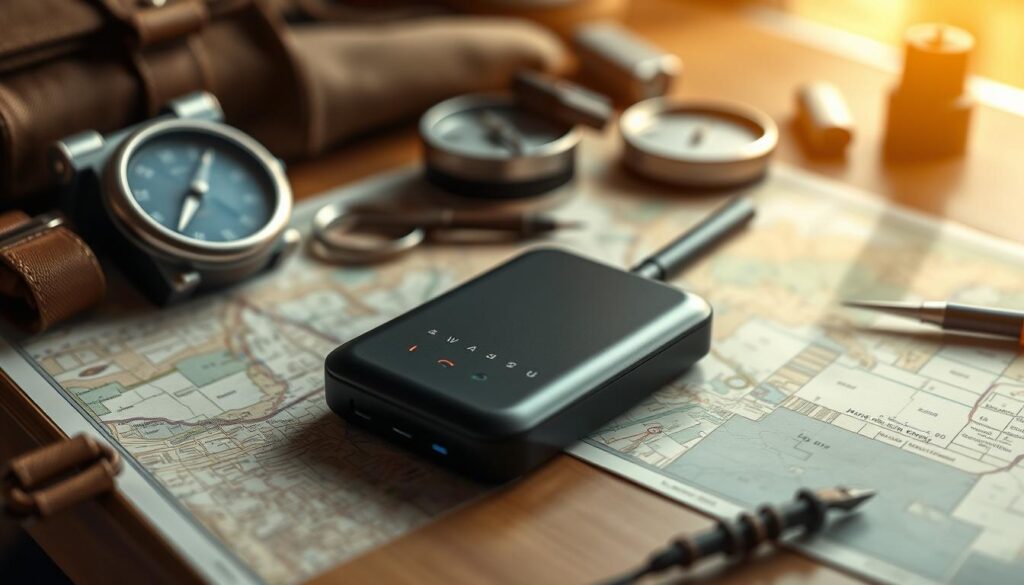
Battery life varies, but most last 8 to 24 hours. Many have screens to show data use, battery, and devices connected. This helps you keep an eye on your internet use while traveling.
Popular Mobile Hotspot Devices
The Verizon Jetpack and MiFi series are top choices for travelers with strong Verizon coverage. They have great battery life and can connect up to 15 devices. The MiFi 8800L has a touchscreen and antenna ports for better signal.
For AT&T and T-Mobile, the Netgear Nighthawk series is a good pick. The Nighthawk M1 can go up to 1 Gbps and has a battery that lasts long.
The TravlFi Journey1 is a new travel router. It uses e-SIM tech to switch networks automatically. This means you always get the best signal, without manual changes or extra plans.
Data Plans to Consider
Unlimited data plans are great for those who use a lot of internet. But, most carriers slow speeds after a certain amount. Verizon slows down after 15-30 GB, while AT&T and T-Mobile have similar rules.
Prepaid plans are good for those who don’t use internet often. They cost from $20 for 2 GB to $70 for unlimited. You can turn them on and off as needed, making them perfect for occasional use.
Shared data plans let you use one data pool for all devices. This is great for families or couples. You can share a big data pool instead of buying separate plans.
4G and 5G Networks: The Future of Mobile Connectivity
Modern mobile networks have changed how we stay connected while exploring. The move to 4G and 5G systems gives us fast internet access. Knowing about these networks helps us choose the right one for our travels.
Satellite internet for travelers is a good backup, but cellular networks are our main link. These networks keep getting better to meet our needs for speed and coverage.
Speed and Performance Differences
The difference between 4G and 5G is huge in performance. 5G networks are 10 to 100 times faster than 4G. This changes how we use the internet on the go.
Here’s what it means for us:
- Video calls: They’re clear and smooth on 5G
- File uploads: Big files upload fast, not slow
- Streaming: 4K videos stream without pause
- Gaming: Online games feel more real-time
5G’s lower latency means data moves faster. This makes apps more interactive than on 4G.
Coverage Across America
Where we go affects network availability. 5G is common in cities and highways, but rural areas often have 4G or 3G.
Carriers like Verizon, AT&T, and T-Mobile are expanding 5G. But, mountains and forests can block signals.
National parks and remote spots often lack 5G. It’s key to have backup plans for these places.
Advantages of 5G Technology
Switching to 5G offers many benefits when it’s available. It makes our internet experience better while traveling.
Key benefits include:
- Faster downloads: Apps and videos load quickly
- Better video quality: Streaming is smooth and clear
- Improved productivity: Cloud apps work well
- Enhanced communication: Video calls stay stable
But, 5G signals are shorter than 4G. Mountains and forests can block them. So, having backup plans is important for full coverage.
Satellite Internet: Remote Locations Made Accessible
When cellular towers disappear and traditional internet fails, satellite internet saves the day. It’s a game-changer for exploring America’s most isolated spots. Now, we can stay connected while enjoying the wilderness.
Satellite internet works anywhere with a clear sky view. It’s perfect for those who love boondocking and off-grid adventures. This means no internet compromise for you.
How Satellite Internet Works
Satellite internet uses a cool process that skips traditional networks. Your dish talks to satellites in space. They then send your data to the internet.
You need a dish, modem, and clear sky for it to work. Your request goes up, down, and back again. This makes it fast and reliable.
Modern satellite internet has cut down on delays. With Low Earth Orbit (LEO) satellites, signals travel faster. This makes it great for quick tasks.
Leading Satellite Providers
Starlink leads in mobile satellite internet for travelers. Their LEO satellites cover North America with fast speeds. We’ve seen speeds over 100 Mbps in remote areas.
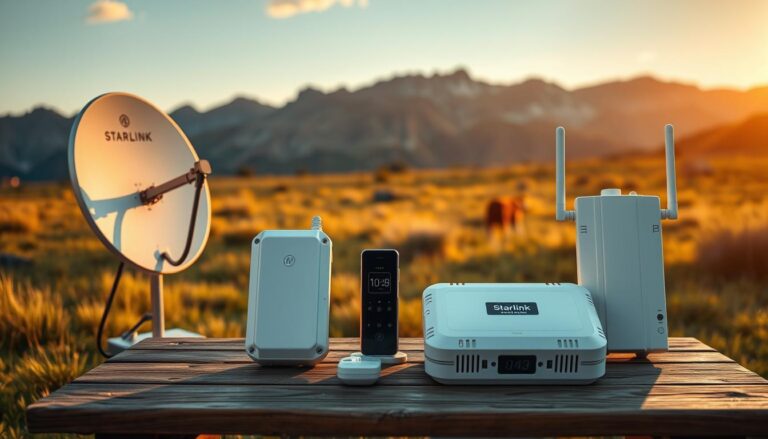
Starlink includes everything you need for mobile use. The “Dishy” dish tracks satellites and adjusts. The router connects multiple devices. All you need is power.
HughesNet and Viasat offer satellite internet for fixed locations. Starlink’s ROAM plan is for mobile users. It pauses service when not traveling.
“Starlink has changed our RV life. We can work and stream movies anywhere.”
Pros and Cons of Satellite Internet
Satellite internet is a must for serious travelers. It offers universal coverage in remote areas. You can get high-speed internet in places without cell service.
It provides consistent speeds everywhere. Unlike cell data, satellite internet doesn’t slow down. It’s perfect for work and video calls.
But, there are downsides. The equipment costs $600 upfront. Monthly fees are high, at $150 for Starlink’s ROAM plan.
It also uses a lot of power, 75-100 watts. This can strain your RV’s electrical system. It’s a challenge for off-grid stays.
Weather can also impact performance. Rain, snow, or clouds can slow speeds or cause outages. The dish needs regular cleaning too.
Physical obstructions are a big problem. Trees, buildings, or canyons can block signals. This limits its use in forested or narrow areas.
Public Wi-Fi: The Good, the Bad, and the Ugly
We’ve all been there – desperately searching for a reliable Wi-Fi signal while traveling. Free Wi-Fi is everywhere, from coffee shops to remote campgrounds. It seems like a great deal, but it comes with its own set of challenges.
Public Wi-Fi can be a lifesaver for basic needs. Libraries consistently offer the most reliable free connections, with great speeds and no need to buy anything. Coffee shops, restaurants, and big stores like Walmart and Target also have Wi-Fi. RV parks and campgrounds offer internet, but the quality can vary a lot.
Best Practices for Using Public Wi-Fi
When using public networks, follow key security steps to keep your info safe. Never access sensitive accounts like online banking on public Wi-Fi. These networks are shared and don’t have the same security as private ones.
Turn off automatic Wi-Fi on your devices to avoid unknown networks. This stops your device from connecting to bad hotspots that look like real ones.
Don’t expect too much from public networks. They have limited bandwidth and are best for simple tasks. Avoid data-intensive activities like video calls or big file uploads during busy times.
Locations with Reliable Public Wi-Fi
Some places offer better Wi-Fi than others. Public libraries top our list for fast, free, and reliable internet. They have great speeds with no limits or costs.
Coffee shops like Starbucks and Dunkin’ have decent Wi-Fi, but buying drinks can add up. Fast-food places like McDonald’s and Panera Bread offer free Wi-Fi for basic tasks.
Big stores like Walmart, Target, and Home Depot have free Wi-Fi in their stores. It’s not perfect for long work sessions, but it’s good for quick tasks.
- Libraries: Fastest and most reliable free Wi-Fi
- Coffee shops: Good for occasional use with purchase
- Fast-food chains: Convenient for quick tasks
- Major retailers: Available throughout stores
- RV parks: Quality varies, often requires fees
Secure Your Connection: VPNs and More
A Virtual Private Network (VPN) is key for public Wi-Fi. VPNs encrypt your internet traffic, making it safe from hackers. This is important for email, social media, and personal accounts.
Pick a trusted VPN with strong encryption and no-logs policy. Options like ExpressVPN, NordVPN, and Surfshark are good. They have mobile apps for easy use.
Enable two-factor authentication on all important accounts before you travel. This adds an extra layer of security. Update your devices and apps regularly to stay safe.
Using your smartphone’s hotspot is safer than public Wi-Fi for sensitive tasks. It uses your data, but it’s more secure. Use public Wi-Fi for simple browsing and fun when you don’t need to be careful.
Using Cellular Data: What You Need to Know
Your smartphone’s cellular connection is key while traveling. It’s the most reliable and widely available internet option. Knowing how cellular plans work can save you money and avoid connectivity issues.
Most travelers use their cellular connection for navigation and entertainment. Choosing the right plan and managing your usage well is important. Smart data management makes your mobile experience better.
Understanding Data Limits and Plans
Cellular carriers offer different plans that can be confusing. Unlimited plans might not mean unlimited high-speed data. Most carriers slow down your connection after a certain amount of data, usually between 22GB and 50GB per month.
When picking a plan, look at these key things:
- High-speed data allowance before throttling kicks in
- Mobile hotspot capabilities and data limits
- Network coverage in your planned travel areas
- International roaming options if crossing borders
Visible is a great choice for road travelers. Their plans start at $25 per month and include unlimited data with 5G and 4G LTE access. You can also share your connection with other devices, which is good for couples or families.
Premium carriers like Verizon and AT&T offer more coverage but cost more. Their plans are $70 to $90 monthly for unlimited options. Think about your budget and coverage needs when choosing.
Tips for Managing Cellular Data Usage
Managing data starts with knowing which apps use the most. Streaming video, automatic app updates, and cloud photo backups use a lot of data for travelers.
Here are ways to save cellular data:
- Turn off background app refresh for non-essential apps
- Enable “Use Less Data” settings on social media
- Download maps, music, and videos only when connected to Wi-Fi
- Use data monitoring apps like My Data Manager to track usage
- Set up data usage alerts through your carrier’s app
Social media apps like Instagram and Facebook have data-saving features. These features prevent automatic video playback and reduce image quality. Small changes can make a big difference in your data use.
Also, schedule large downloads and updates for when you have Wi-Fi. Many smartphones let you restrict certain apps from using cellular data. This gives you control over your usage.
RV Internet Solutions: Tailored for Road Warriors
Road warriors need internet that fits their lifestyle. It must be reliable and flexible for any trip. RV internet solutions vary based on travel, work, and budget.
Successful internet plans use many technologies. This ensures you stay connected everywhere. Smart planning is key to avoiding internet troubles.
Best Internet Setup for RV Travel
Choosing the right internet starts with knowing your travel habits. Full-time RVers need different solutions than weekend users. Think about your needs before picking equipment.
First, consider where you camp. Urban areas have strong signals, while remote spots need satellite. The number of devices and users also matters.
How much data you use is important too. Streaming uses more bandwidth than browsing. Heavy users need unlimited plans, while light users can save with smaller plans.
Cost is a big factor. Premium setups cost more but are more reliable. Start with basics and add more as needed.
Hybrid Options: Combining Services
The best RV internet solutions mix services for reliability. Add backup options for when main connections fail.
Cellular data is usually your main connection. Use satellite for areas without cell towers. Boost Wi-Fi when you can.
Mobile hotspots are your base, working well in most places. Add Starlink or similar for full coverage. This combo covers all your needs.
Devices like the Winegard ConnecT 2.0 4G make setup easy. They boost Wi-Fi and have cellular in one. Single-device solutions are simpler and effective.
Also, have portable mobile hotspots as backups. They provide emergency internet when needed. Keep them charged and ready.
Hybrid plans mean managing many accounts and plans. Watch your usage to avoid extra charges. Most carriers have apps for tracking.
Dedicated Data Plans for Travelers
Travel-friendly data plans have changed a lot. Now, there are more affordable options for those on the move. Carriers have noticed the rise of nomads and have updated their plans.
Travelers need more than just basic internet. They need plans that support remote work connectivity and work well with travel routers. It’s important to find a plan that offers good value without sacrificing coverage or speed.
Popular Carrier Options
We’ve tested major carriers to find the best for travelers. Visible is our top pick for those on a budget. It uses Verizon’s network and starts at $25 a month for unlimited data.
The Visible+ plan at $45 monthly gives you 5G Ultra Wideband and unlimited mobile hotspot at 10 Mbps speeds. This is enough for most remote work tasks. Plus, there’s no data throttling, which is great for heavy users.
Verizon’s direct plans offer premium features but cost more. Their unlimited plans start around $70-80 a month. You get priority network access and faster hotspot speeds, which are key in crowded areas.
AT&T and T-Mobile are also good options. AT&T focuses on reliability and wide coverage. T-Mobile emphasizes speed and international features. Both offer good prices for those who need constant internet.
Budget-Friendly Solutions for Road Warriors
There are ways to save on connectivity costs. Home internet plans are popular among nomads, even though they’re for fixed locations. These plans often have unlimited data at good prices.
Carriers don’t officially allow mobile use of home internet plans. But, enforcement is not strict. Many travelers use these plans with portable routers, but it’s wise to have backup plans.
The best strategy is to have data plans with multiple carriers. No single carrier has the best coverage everywhere in the U.S. Having multiple plans ensures you stay connected, even when your main carrier has weak signals.
| Carrier | Plan Type | Monthly Cost | Data Allowance | Hotspot Speed |
|---|---|---|---|---|
| Visible | Basic Unlimited | $25 | Unlimited | 5 Mbps |
| Visible | Visible+ | $45 | Unlimited | 10 Mbps |
| Verizon | Start Unlimited | $70 | Unlimited | 3G speeds |
| AT&T | Unlimited Starter | $65 | Unlimited | 3G speeds |
| T-Mobile | Essentials | $60 | Unlimited | 3G speeds |
For remote workers, choose plans with good hotspot speeds for remote work connectivity. Being able to share your connection with devices like laptops and travel routers is key when working from different places.
Prepaid options are good for short trips. They don’t require long-term commitments and often offer great value. Many carriers have prepaid unlimited plans that are just as good as their postpaid plans.
Using a main unlimited plan and a secondary prepaid plan is the best strategy. This way, you always have internet options, no matter where you are or what network conditions are like.
Tips for Optimizing Internet Connectivity on the Road
To get better connectivity on the go, you need both tech and smart planning. Travelers who use the right gear and plan well get better internet on their trips.
For great road trip internet, know how to use what you have. Don’t just rely on one thing. Instead, use a mix of signal boosters and data management.
Equipment Solutions for Stronger Connections
Signal boosters are a top choice for better mobile internet. The WeBoost Drive Reach RV is our favorite for RV travelers. It boosts your signal, even in weak coverage areas.
We’ve tested many boosters. The WeBoost captures weak signals and makes them stronger. It’s easy to set up and works well in weak spots.
Directional antennas also help extend your internet range. The KING Falcon antenna picks up Wi-Fi from far away. It lets you reach networks you couldn’t before.
Where you park matters a lot for your signal. Park high up when you can. Stay away from big things like buildings or trees that block signals.
Essential Apps and Digital Tools
Smartphone apps are key for managing your WiFi options for road trips. We use apps to help us choose the best internet on the go.
OpenSignal shows you signal strength and carrier performance. It helps you find the best provider at your location. The data is from other users, so it’s very accurate.
Coverage? and Cellmapper give detailed coverage info. They show real-world performance, not just what providers say. It’s based on what other travelers have found.
Managing your data is important on long trips. My Data Manager tracks your use and warns you of overages. It helps you avoid extra charges.
Plan your route with internet in mind. Check signal coverage at your destinations before you go. Find places with good internet for work or calls.
Route planning apps can help with this. They use data on signal strength and Wi-Fi to guide your choices. Think about elevation, cell tower distance, and public Wi-Fi when picking places to stay.
Using the right gear and planning well is key for good internet on the road. These tools and tips help you stay connected wherever you go.
Future Trends in Mobile Internet Connectivity
The world of mobile internet is changing fast. It’s getting better for people on the move. New tech will make staying online easy and cheap. It will change how we enjoy the road.
What’s Coming in Internet Technology?
Satellite internet for travelers is getting a big boost. Starlink is growing fast, bringing faster speeds to far-off places. Other satellite services will also improve, making things cheaper.
The 5G network expansion is moving quickly. It will bring faster downloads and less delay. Soon, 5G will be the norm for staying connected on the road.
New tech is making devices use less power. This is great for RVs and vans with limited power. It means better performance without draining batteries.
The Role of IoT in Road Travel
Smart RV systems need good internet. They check on batteries, tanks, and tires. They send alerts to phones, needing reliable internet.
Now, RVs can switch between different networks. They pick the best one for you. This makes staying connected smooth.
Modern RVs rely on internet for security. Cameras and alarms need it to work. This is pushing for better mobile internet.
| Technology | Current Status | Expected Timeline | Key Benefits |
|---|---|---|---|
| Enhanced Satellite Internet | Rapidly expanding | 2024-2026 | Global coverage, faster speeds |
| 5G Network Expansion | Major corridors covered | 2025-2027 | Ultra-fast speeds, low latency |
| IoT Integration | Early adoption phase | 2024-2025 | Smart monitoring, automation |
| Power-Efficient Equipment | In development | 2025-2026 | Longer battery life, reduced power draw |
These technologies are coming together. Soon, staying online while traveling will be easy. The next years will see big improvements in internet quality and cost. Travelers will enjoy reliable internet as a basic part of their trips.
Conclusion: Choosing the Right Internet Options for Your Journey
We hope this guide has made it easier to find internet for life on the road. Remember, there’s no one perfect choice for everyone.
Recap of Key Internet Solutions
Your best choice depends on how you travel, your work needs, and your budget. Casual travelers might like simple plans and mobile hotspots. Full-time travelers often use a mix of solutions.
Satellite internet is good for far-off places. Public Wi-Fi is handy in cities. Cellular data covers most areas. RV solutions meet mobile living needs.
It’s smart to have backup plans. This way, you stay connected even when your main plan fails.
Final Thoughts on Staying Connected While Traveling
Begin with simple plans and add more as needed. Think about both the cost of gear and monthly fees. Most people use more than one way to stay online.
New tech comes out often, making internet better. Keep up with these changes to keep your internet good.
With the right planning and gear, your travels can stay connected and productive.